Introduction
Mastering Apple External Payments: A Practical Guide from Compliance to High Conversions.
Following a landmark May 2025 court ruling, Apple now allows developers to direct users to external websites for payments via in-app links.
Why Switch to Web Checkout Now?
Cut Transaction Fees by Up to 90%: Drastically lower payment processing costs and directly boost your profit margins.
Total Freedom Over Pricing & Promotions: Escape Apple’s rigid price tiers and run flexible discounts, bundles, or flash sales.
More Ways to Pay: Seamlessly offer modern payment methods like Buy Now, Pay Later (BNPL) that aren’t supported by Apple IAP.
Direct Customer Ownership: Build deeper relationships and get full access to your purchase data and user insights.
What You’ll Learn in This Guide
We’ve condensed our hands-on experience to help you design a seamless cross-platform payment experience. This guide walks you through:
Compliant Redirection: How to safely route in-app users to external web checkout while adhering strictly to Apple's guidelines.
Seamless Navigation: How to deliver a smooth, cohesive user journey during app-to-web transitions.
High-Converting Checkout: Best practices for building an optimized web cashier that minimizes drop-off and maximizes sales.
Bottom Line: Bypass Apple’s heavy commission, take full control of your customer relationships, and scale your sales with a proven, high-converting web payment strategy.
Redirect checkout from in-app to the web in a compliant way
Link to an external browser: Developers who try to use a WebView in their app are unlikely to pass the iOS App Store's review. Instead, make sure to redirect to an external browser to maintain compliance.
Check your distribution country: Apple currently only supports Japan, South Korea, the EU and the US. Please pay attention to your region.
Use a prebuilt solution to ensure compliance with regulations: In addition to following Apple's guidelines, it's important to comply with applicable government, banking and network regulations. These include security standards such as PCI, privacy rules such as the EU General Data Protection Regulation (GDPR) and the California Consumer Privacy Act (CCPA) and disclosures required by banks and credit card companies. We can provide guidance on these.
How iOS Apps Can Enable External Payments in the United States
Website-ready copy for US App Store external purchase flows, designed for games, memberships, subscriptions, virtual goods, and digital content apps.
WooshPay helps merchants connect in-app external purchase entry points to a mobile Web/H5 checkout, supported by server-side notifications, order queries, refunds, reconciliation, and transaction reporting tools.
When external payments can be used
Apple allows eligible apps on the United States App Store storefront to direct users outside the app to purchase digital content or services in specific scenarios. For games, memberships, subscriptions, virtual goods, and digital content apps, this creates a new way to offer checkout beyond Apple In-App Purchase.
Under Apple App Review Guidelines 3.1.1 and 3.1.1(a), apps on the United States storefront may include buttons, external links, or other calls to action that direct users to purchasing mechanisms other than IAP for digital content or digital services.
- Game items, virtual currency, levels, and virtual content
- Memberships and subscriptions
- Digital content and digital services
- Apps that want a third-party Web/H5 checkout to handle external purchases
Under Apple's current rules, apps on the United States storefront do not need to apply for the StoreKit External Purchase Link Entitlement in order to show external purchase buttons, links, or purchase calls to action. Before launch, merchants should still confirm that their business model, app category, product type, and Apple's latest review rules apply to their specific case.
External payment is more than a link
Adding an external payment entry point in the app may look simple, but a reliable checkout flow requires more than a redirect. Merchants need to manage order creation, payment status confirmation, fulfillment, notification verification, refunds, exceptions, and reconciliation.
The app should not rely only on the front-end result when a user returns from the web checkout. Return parameters can support the user experience, but they should not be treated as proof of payment. The final payment result should come from WooshPay's server-side notification or order query response.
How WooshPay supports external checkout
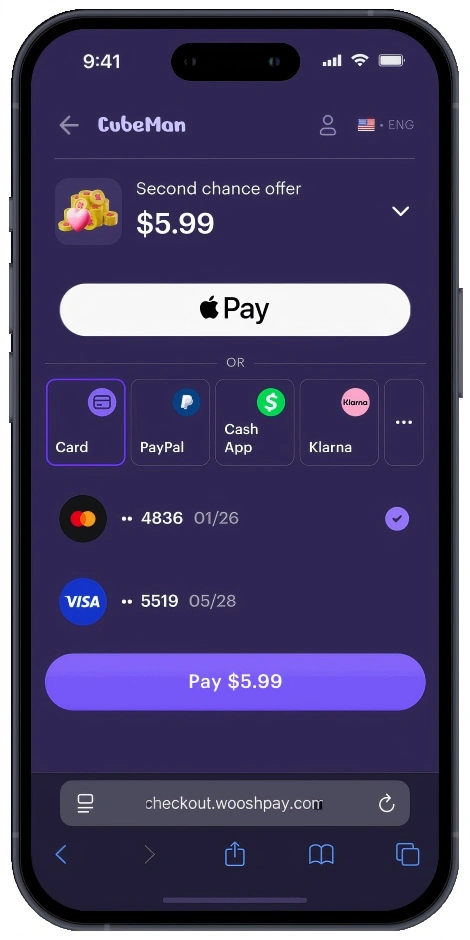
WooshPay provides a mobile Web/H5 checkout that can receive users from an in-app external purchase entry point and guide them through payment in a browser-based flow.
- Payment session creation
- Display of merchant name, product name, amount, currency, and order expiry
- Mainstream payment methods in the United States, such as credit cards and debit cards, plus wallet-based methods depending on business eligibility
- Payment success, failure, pending, closed, and refund-related states
- Server-side payment result notifications
- Order queries, refunds, reconciliation, and transaction reports
- Signature verification, risk controls, limits, anti-fraud capabilities, sandbox testing, and launch checks
Recommended payment flow
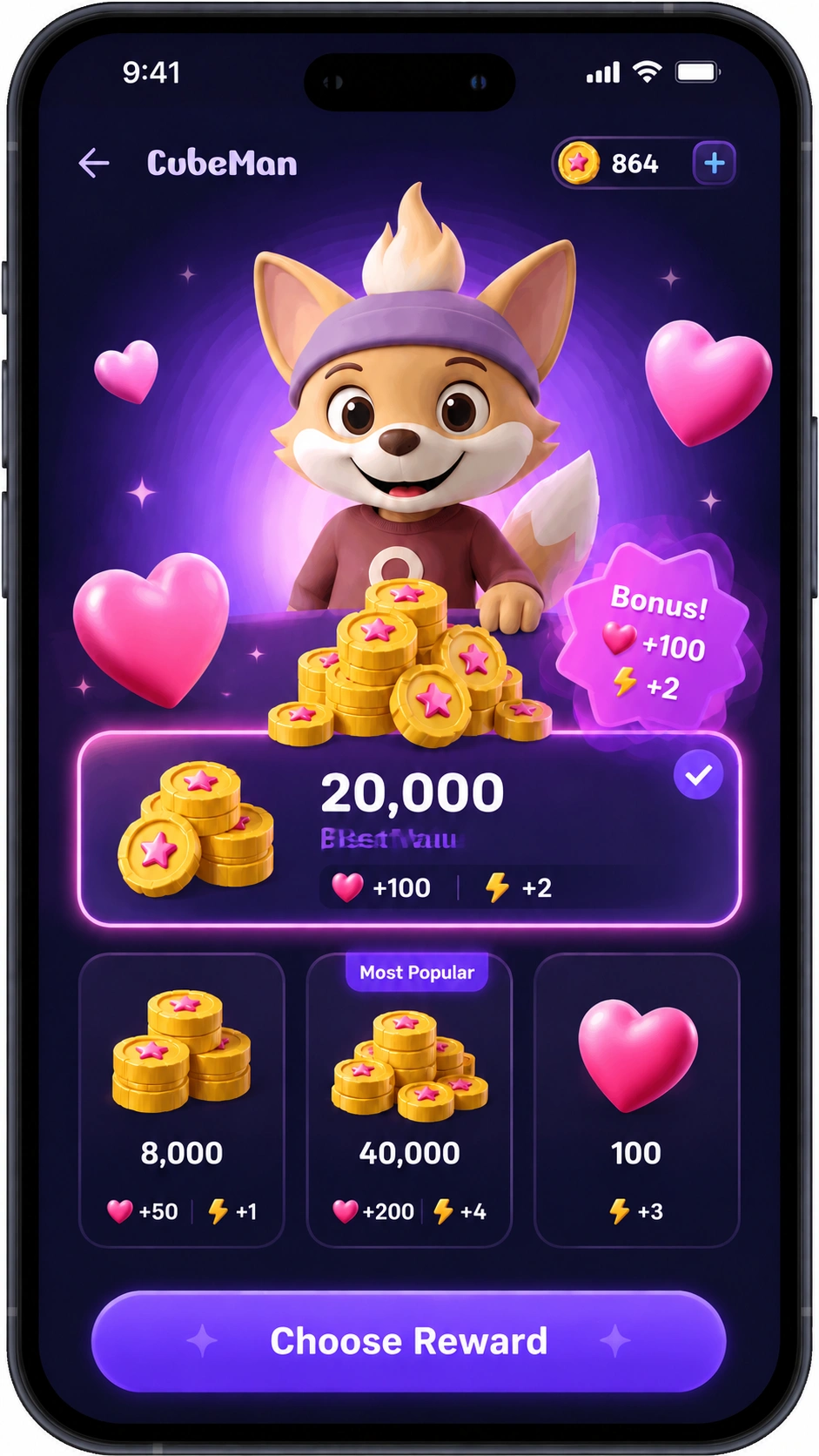
When a user taps the external purchase entry point inside the app, the merchant creates an order and generates a unique merchant order ID. The merchant server locks the product, amount, currency, user ID, channel, and order expiry, then creates a WooshPay payment session.
The user completes payment in WooshPay's Web/H5 checkout. When the payment status changes, WooshPay sends a notification to the merchant's notify_url. The merchant server verifies the signature, order ID, amount, currency, and merchant ID before granting the digital entitlement.
When the user returns to the app, the app should query the merchant server for the order status instead of trusting front-end redirect parameters.
What merchants need to prepare
- Configure a clear external purchase entry point inside the app
- Use copy that clearly tells users they will go to a web page or secure checkout to complete the purchase
- Create orders with globally unique merchant order IDs
- Lock the product, amount, currency, user ID, channel, and order expiry
- Support order states such as pending payment, processing, successful, failed, closed, and refunded
- Configure a notify_url for payment, refund, and order close notifications
- Verify notification signatures, order IDs, amounts, currencies, and merchant IDs
- Make notification handling idempotent to avoid duplicate fulfillment
- Fulfill memberships, subscriptions, virtual currency, game items, or other digital entitlements only after server-side confirmation
- Handle duplicate notifications, duplicate payments, order timeouts, refunds, reversals, and abnormal orders
No third-party payment reporting to Apple is required
For the United States external payment scenario described in the source document, merchants do not need to report third-party payment transactions back to Apple. Merchants should still retain complete transaction, refund, reconciliation, risk, and support records for their own operational and financial needs.
Build a more flexible checkout path for US App Store users
External payments in the United States give digital content and service apps another way to complete purchases. With WooshPay, merchants can connect in-app purchase entry points to a Web/H5 checkout while keeping payment status, fulfillment, refunds, and reconciliation under server-side control.
WooshPay helps reduce payment integration complexity, improve order state management, and turn external purchase links into a reliable, auditable, and scalable checkout solution.
How iOS Games Can Enable External Purchases in Japan
Website-ready copy for Japan App Store external purchase flows, designed for iOS games, digital items, virtual currency, and in-game content.
WooshPay Japan External Purchase SDK helps game teams manage Apple-required eligibility checks, Disclosure, LINK_OUT tokens, default browser handoff, Hosted Checkout, return-to-app flows, server-side status queries, and Apple-ready reporting data.
External purchase in Japan is more than a payment link
Apple allows eligible iOS apps in Japan to use external purchase capabilities in specific scenarios. For game publishers, this can create a purchase path where players keep access to Apple IAP while also having the option to complete checkout in the device's default browser.
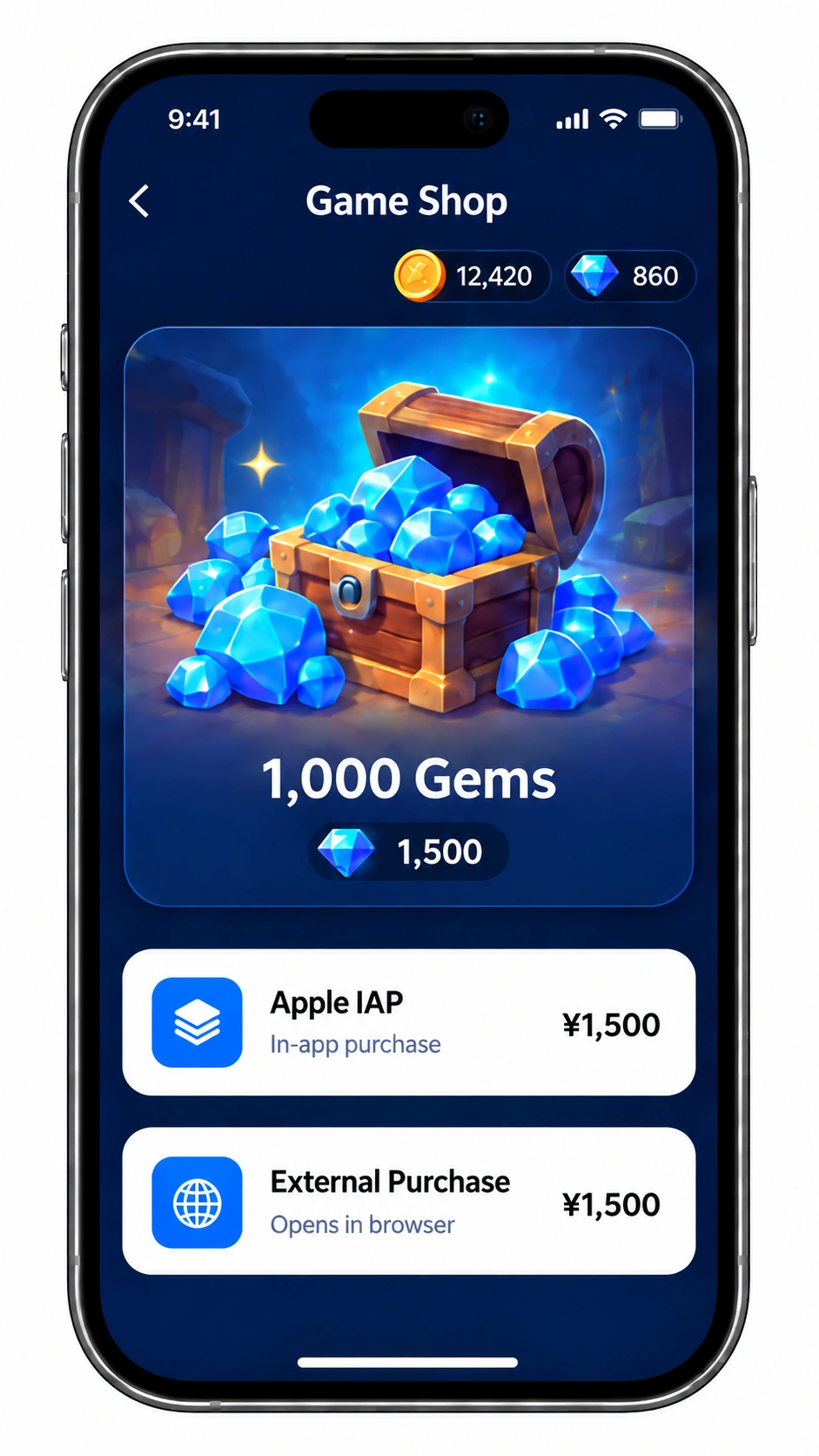
But Japan external purchase is not simply a matter of adding a payment link to a product page. Developers need to handle Apple entitlement, region and device eligibility, equal prominence for IAP, Apple Disclosure, default browser launch, Universal Link return, server-side fulfillment, and Apple reporting requirements.
WooshPay connects these steps through an SDK, Hosted Checkout, and reporting data service designed for iOS game purchase flows, helping teams build an external purchase path that is launchable, auditable, and easier to reconcile.
Where this solution applies
- iPhone users on the Japan storefront
- iOS 26.2 or later
- Game apps that have applied for and configured the relevant Apple external purchase entitlement
- Digital product purchase flows that need a browser-based payment option alongside Apple IAP
- In-game digital goods such as items, virtual currency, levels, and virtual content
Before launch, merchants should confirm applicability against the latest Apple Developer documentation, App Review requirements, business model, and publishing strategy.
How WooshPay supports the full purchase flow
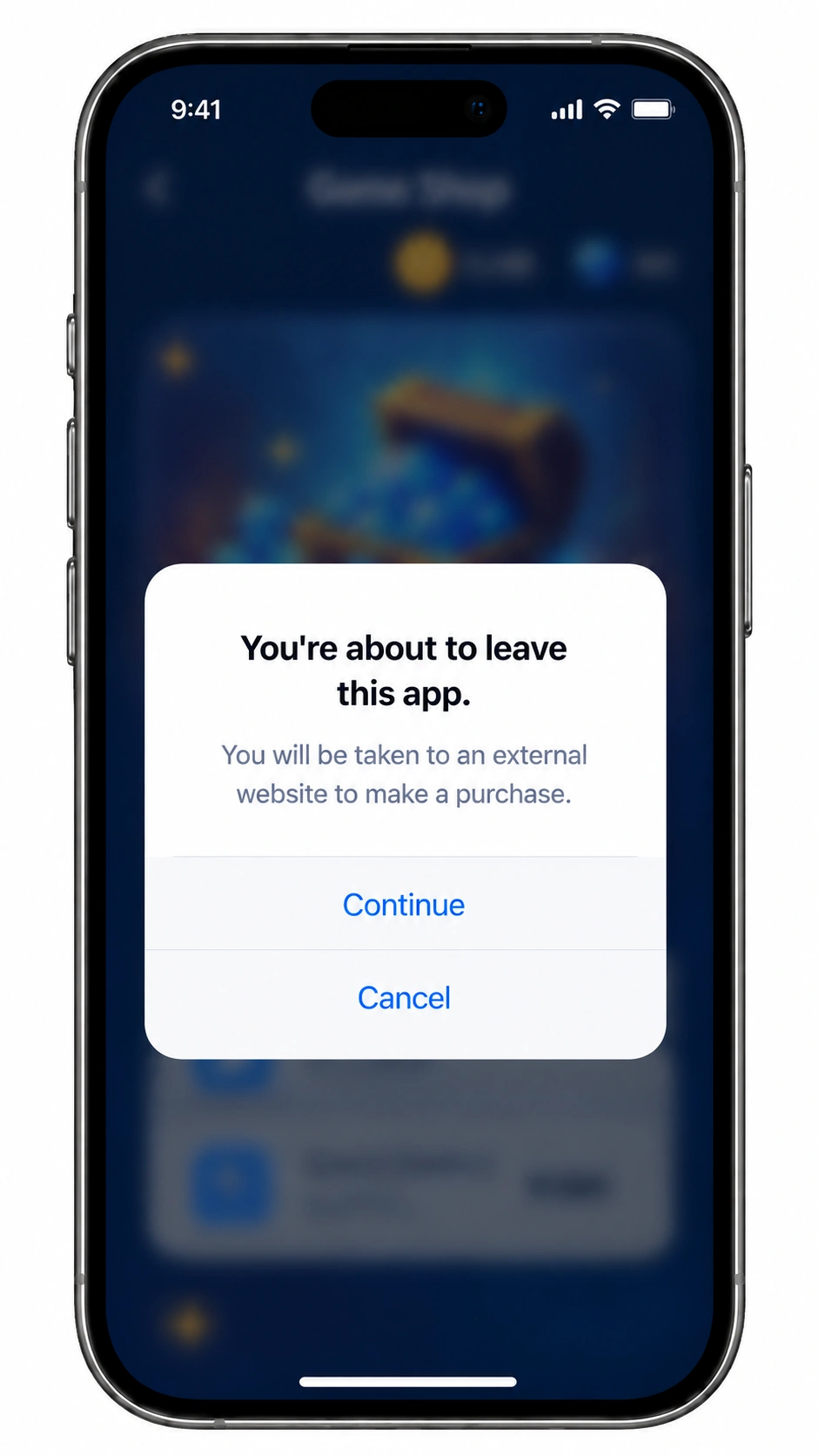
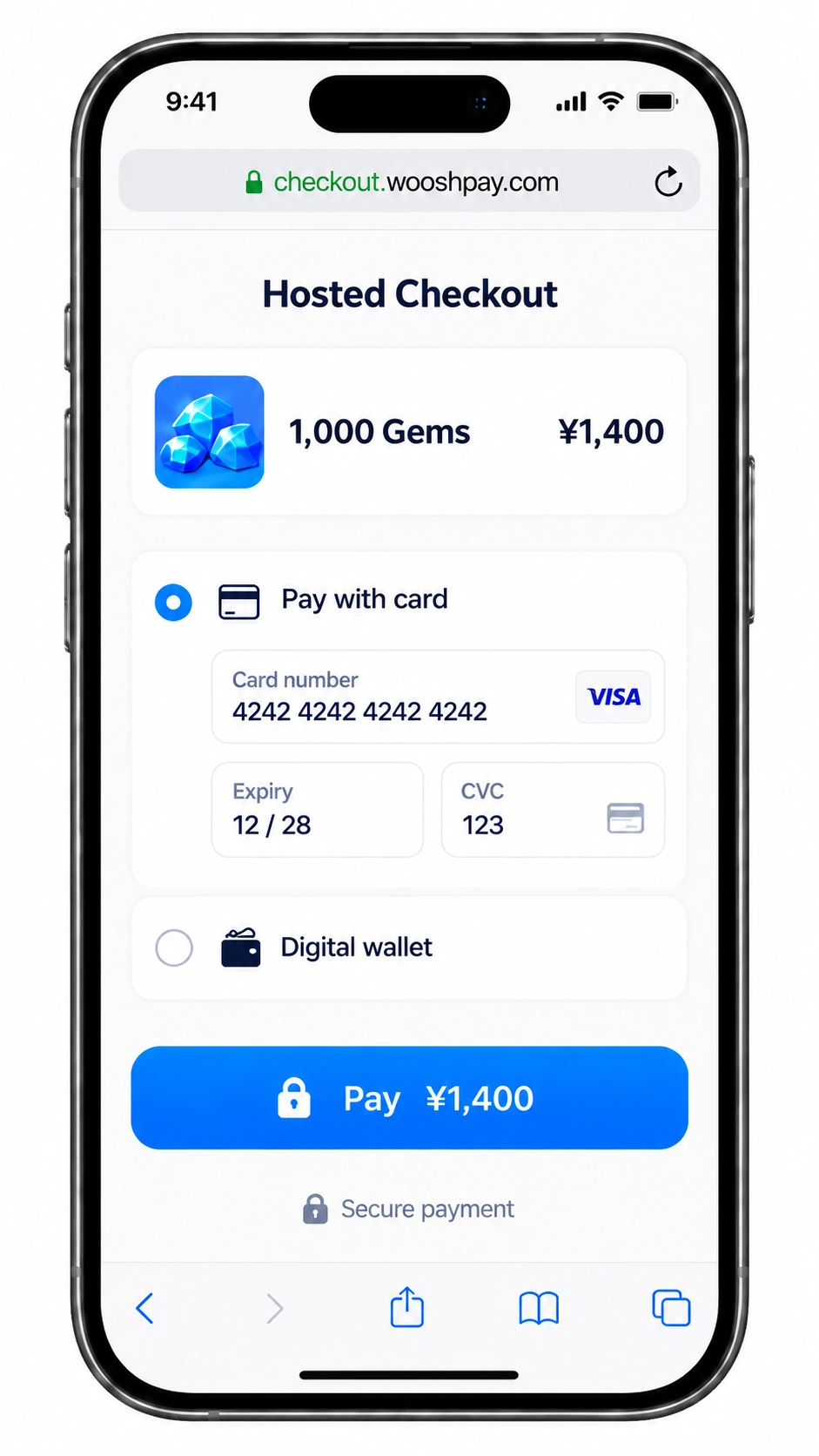
When a player taps the external purchase entry point on the game product page, WooshPay SDK first performs the runtime checks required by Apple. If the player and purchase context are eligible, the SDK shows Apple Disclosure and opens WooshPay Hosted Checkout in the device's default browser after the player confirms.
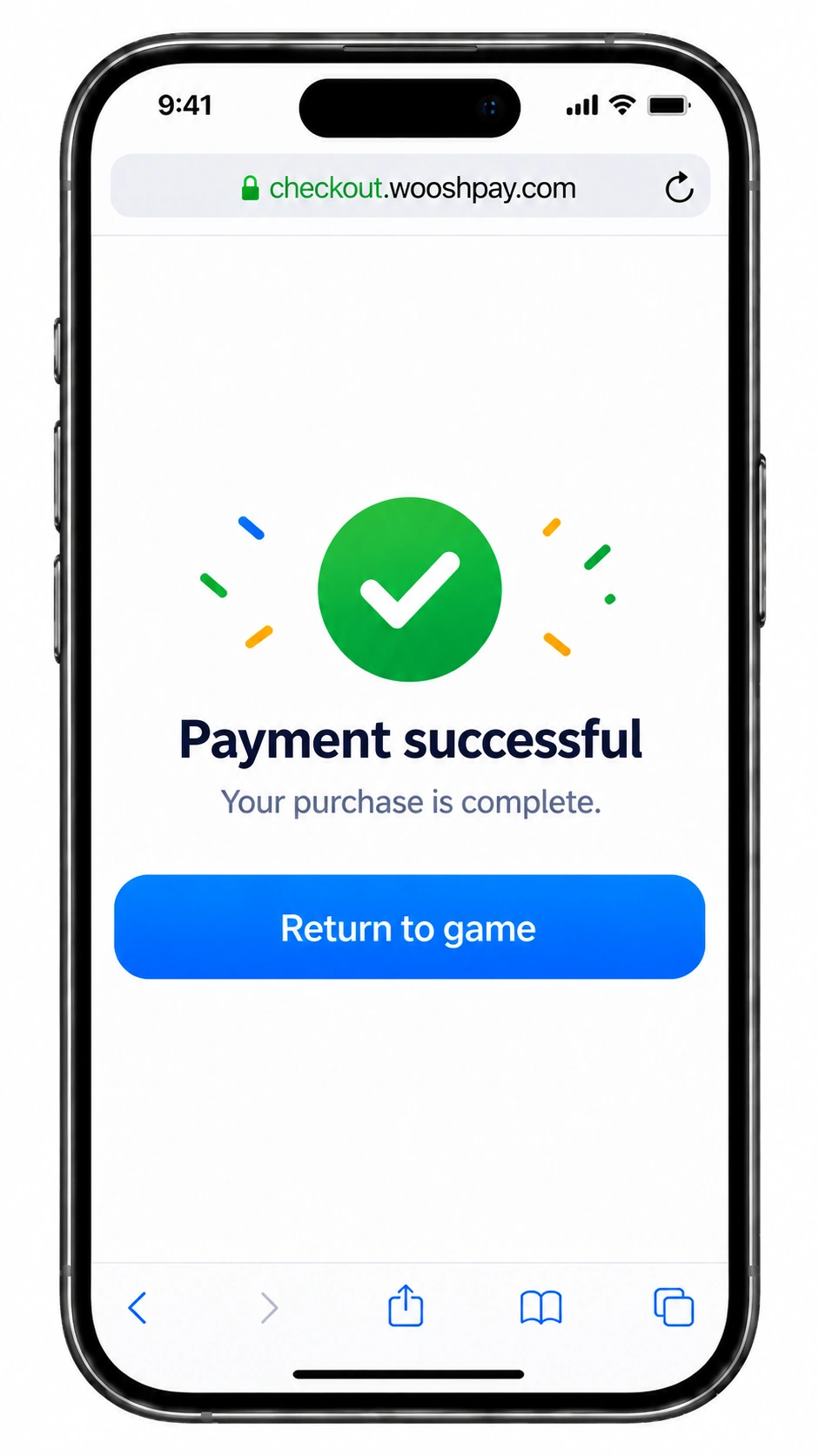
After payment, the player can return to the game through a Universal Link. The client should not fulfill items based only on the return URL. Instead, the game server should query WooshPay's authoritative payment status or process a WooshPay webhook before fulfillment.
| Component | Primary role |
|---|---|
| WooshPay iOS SDK | Packages client-side steps such as canMakePayments, isEligible, LINK_OUT token handling, Apple Disclosure, checkout session creation, default browser launch, and return-to-app status queries. |
| WooshPay Hosted Checkout | Hosts the browser payment page, product and amount display, payment methods, payment status, result pages, and Return to Game experience. |
| WooshPay Reporting Service | Maintains the token ledger, maps transactions, refunds, cancellations, expirations, and no-transaction tokens, and generates Apple-ready reporting data. |
Key capabilities
1. Eligibility checks before each purchase
The SDK should run canMakePayments and isEligible checks before each external purchase attempt, instead of relying only on a cached result from app launch. User restrictions, storefront, iOS version, and entitlement status can all affect the final result.
2. Support for iOS 26.2/26.3 and iOS 26.4+
Japan external purchase support starts with iOS 26.2+. Token and reporting paths differ between iOS 26.2/26.3 and iOS 26.4+. WooshPay SDK can support the relevant integration paths while keeping the player-facing purchase journey consistent.
3. LINK_OUT token handling and ledger creation
In iOS 26.4+ flows, the SDK obtains a LINK_OUT token before each potential transaction and sends it to WooshPay Server before checkout begins. This token is an important link between the purchase attempt, checkout session, transaction status, and Apple reporting data.
4. Apple Disclosure before browser handoff
Apple Disclosure tells users they are leaving Apple's purchase environment and transacting with the developer or a third party. WooshPay SDK should use Apple's provided API to show this notice, rather than rendering a similar custom UI. If the player dismisses or rejects the notice, the flow should return a cancelled status and should not open the browser.
5. Hosted Checkout in the default browser
External purchase links should open a page or tab in the device's default browser, not a WKWebView or another embedded in-app payment page. WooshPay Hosted Checkout can handle payment methods, risk checks, payment status, result pages, and the Return to Game button.
Fulfillment should use authoritative server-side status
A Universal Link brings the player back to the app and carries queryable order context. It does not prove payment success. The return_url should not include a tamperable success=true parameter that can directly trigger fulfillment.
The final payment state should come from WooshPay Server. WooshPay recommends using both webhook notifications and active order queries. The merchant server should fulfill memberships, subscriptions, virtual currency, game items, or other digital entitlements only when the order is SUCCESS and the amount, currency, order, and player identity match.
What game developers need to handle
WooshPay can package payment, handoff, and reporting data capabilities, but Japan external purchase still requires the game developer to complete several critical business and compliance tasks. Apple-side eligibility, product page presentation, order creation, server-side fulfillment, and reporting submission must be implemented in the context of the merchant's own app, products, and player account system.
Apple and App Store configuration
- Confirm that the app, product type, player region, and business scenario are within Apple's Japan external purchase scope.
- Apply for and configure the relevant external purchase entitlement in Apple Developer or App Store Connect.
- Configure allowed regions as jp in the Xcode entitlements file and confirm that the production app package includes the setting.
- Keep the bundle identifier, Apple account, release environment, and approved app aligned.
- Review the latest Apple Developer documentation and App Review Guidelines before launch to reduce review risk from policy changes.
Product page and purchase entry point
- Design the external purchase entry point on the product page, item detail page, or top-up page, and show it only in eligible scenarios.
- Keep Apple IAP available and ensure it is at least as prominent as the external purchase option in placement, visual weight, copy, and guidance.
- Use clear copy telling players they will leave the app and go to a browser or secure checkout to complete the purchase.
- Avoid language that suggests the external purchase is still processed by Apple, and avoid discounts, color, or layout choices that clearly steer users away from IAP.
- When canMakePayments or isEligible fails, hide or disable the external purchase entry point or guide the player to Apple IAP according to product strategy.
Client integration and return-to-app experience
- Initialize WooshPay SDK during app startup with merchantId, environment, returnUniversalLink, and log level.
- Call purchase only when the player actively taps the external purchase entry point; do not trigger the external purchase flow without user action.
- Configure the Universal Link domain, apple-app-site-association file, and Associated Domains.
- Handle client states such as success, pending, failed, cancelled, browser open failure, and Universal Link fallback.
- Do not store Apple API private keys, issuer IDs, key IDs, or other sensitive reporting credentials in the client.
Server-side orders and fulfillment
- Create a globally unique merchant_order_id and lock product, amount, currency, player, server, role, and order expiry.
- Integrate WooshPay server APIs for checkout session creation, order queries, webhook notifications, and refunds.
- Verify webhook signatures, order IDs, amounts, currencies, player identity, and replay protection.
- Perform all fulfillment on the merchant server and make it idempotent by merchant_order_id or transaction_id.
- Define clear handling rules for PENDING, FAILED, CANCELLED, EXPIRED, and REFUNDED states to avoid early or duplicate fulfillment.
- If payment succeeds but the player does not return to the app, webhook processing should still trigger server-side fulfillment; the player can see the updated entitlement state after the next app status query.
Reporting, reconciliation, and operations
- Use WooshPay Reporting API or Dashboard to retrieve Apple-ready reporting payloads or export files.
- Submit reporting to Apple with the merchant's own Apple credentials/JWT and retain responsibility for timeliness and accuracy.
- Create review, retry, and audit trails for successful transactions, refunds, cancellations, expirations, no-transaction tokens, and corrections.
- Reconcile WooshPay payment records, game fulfillment records, refund records, and Apple reporting data in finance workflows.
- Prepare support and operations SOPs for cancelled payments, pending payments, charged-but-not-fulfilled cases, successful payments without return-to-app, refunds, and entitlement recovery.
Apple reporting data and responsibility boundaries
Reporting risk in Japan external purchase flows does not come only from successful transactions. It also includes cancellations, expirations, failed payments, no-transaction tokens, refunds, and corrections. The SDK and server should treat these exception paths as formal business states, not as ordinary log noise.
WooshPay Reporting Service can maintain the token ledger and map transactions, refunds, cancellations, expirations, and no-transaction outcomes into Apple-ready reporting payloads or export files.
By default, WooshPay does not hold the merchant's Apple API private key, issuer ID, or key ID, and does not submit reporting to Apple on the merchant's behalf. Merchants can submit with their own Apple credentials/JWT, keeping credential control and legal and financial responsibility on their side.
Build external purchase experiences for iOS games in Japan with WooshPay
External purchase gives iOS games in Japan a new payment path, but it also introduces new engineering, review, and reporting requirements. WooshPay connects SDK integration, Hosted Checkout, status synchronization, and reporting data generation so game teams can launch a controlled, reconcilable, and scalable purchase experience.
With WooshPay, merchants can reduce repeated development work for Apple external purchase flows, lower the complexity of browser handoff and return-to-app handling, use authoritative server-side status for fulfillment, and prepare structured, auditable data for Apple reporting.
