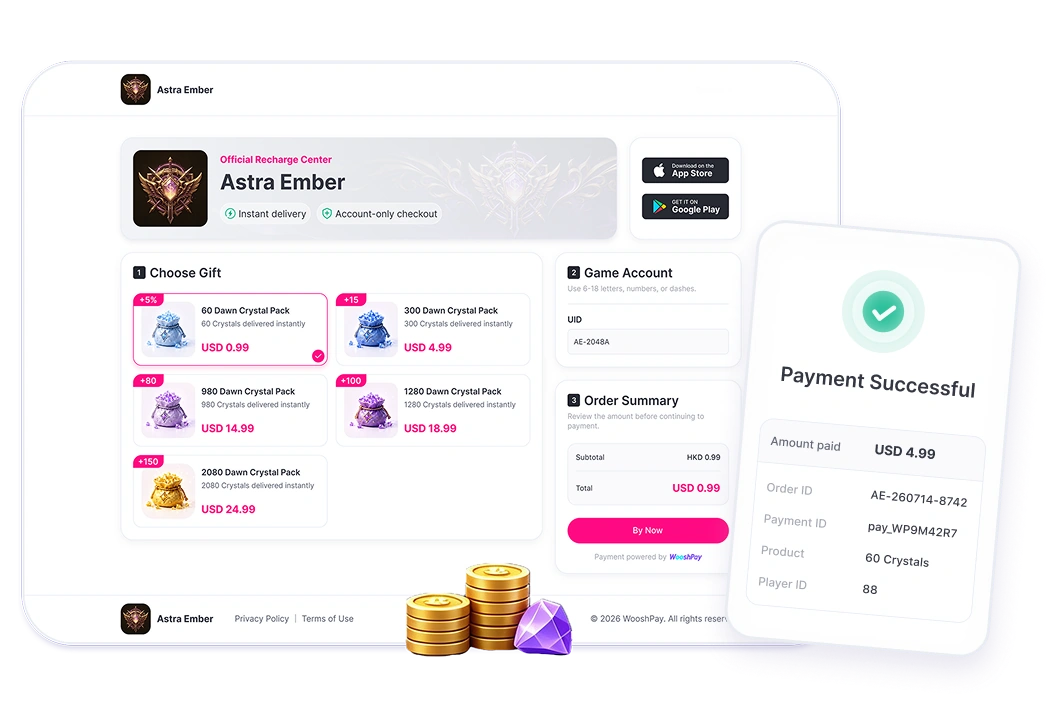
Turn player demand into an owned web sales channel
As game publishers expand into global markets, the challenge is not only attracting players, but also creating a seamless and reliable purchase experience.
Building a web storefront, integrating local payment methods, validating player accounts, and managing orders across multiple systems can significantly increase development costs and operational complexity.
Creating a better game top-up experience
A Game Web Store should feel like part of the game
Players should always know what they are purchasing, which game account will receive the items, how much they will pay, and what happens after payment.
A well-designed top-up experience should:
- Reflect the game's brand identity and visual style.
- Request only the player information required to identify the correct game account.
- Display payment methods relevant to the player's region.
- Clearly show products, pricing, and final payment amounts.
- Provide clear payment and delivery status updates.
This creates a more familiar and trusted journey from the game to the web, while reducing unnecessary steps that may interrupt the purchase.
How WooshPay helps you launch
Simply provide your game information, and WooshPay will generate a ready-to-use Game Web Store.
Provide your game assets, product information, pricing, and player account requirements. WooshPay will automatically generate a branded Game Web Store that can be shared through official websites, in-game entrances, communities, and marketing campaigns.
Players can select products, verify their game account information, and complete payment through WooshPay Checkout. Payment results, order information, and delivery status are synchronized back to the Dashboard for management and tracking.
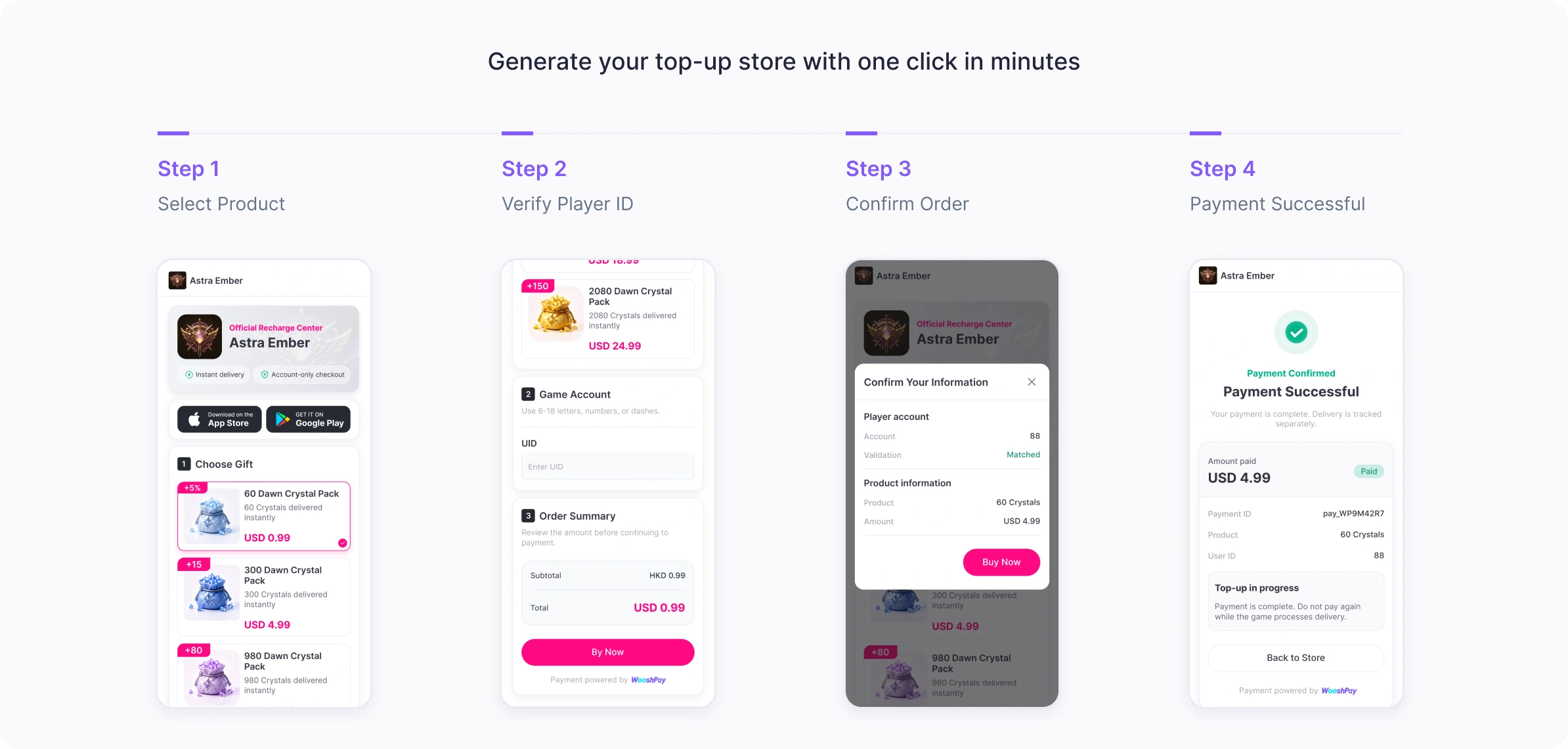
Players select products, verify their game account, and complete payment through WooshPay Checkout.
Payment results, order information, and delivery status are synchronized to the Dashboard for management and tracking.
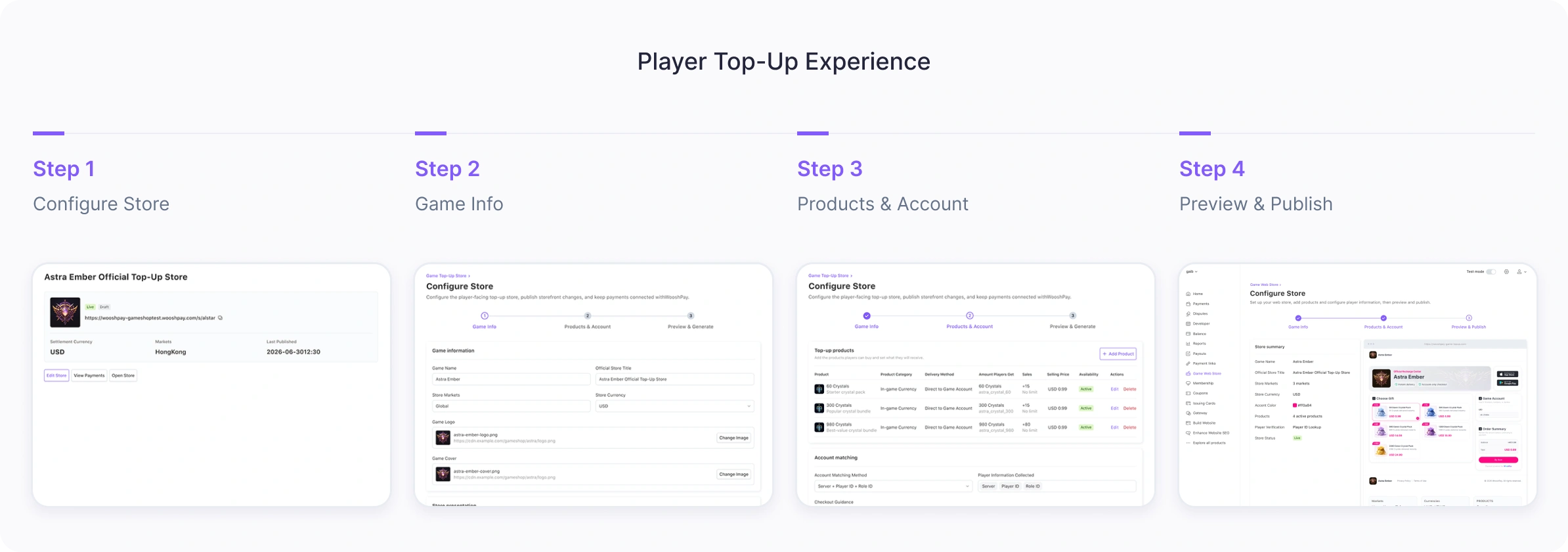
More benefits of using WooshPay
Build a scalable web sales channel that grows with your game
An official Game Web Store gives game publishers more than just another payment page.
It creates a scalable sales channel that helps publishers reach players across multiple touchpoints and markets while reducing reliance on a single distribution platform.
By bringing payments, orders, and delivery status into one management environment, publishers gain a clearer view of their Game Web Store performance and player purchase activity.
From a simple web purchase experience to a scalable global sales channel.
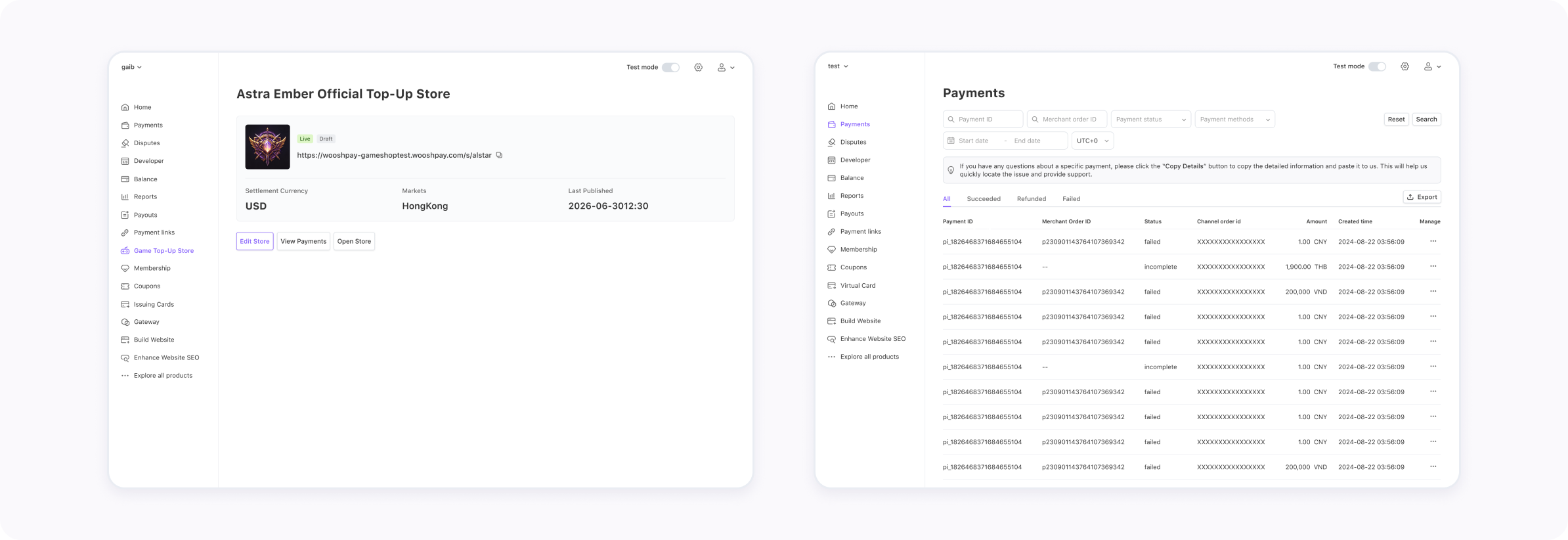
Store configuration and order management
- Top-up store configuration
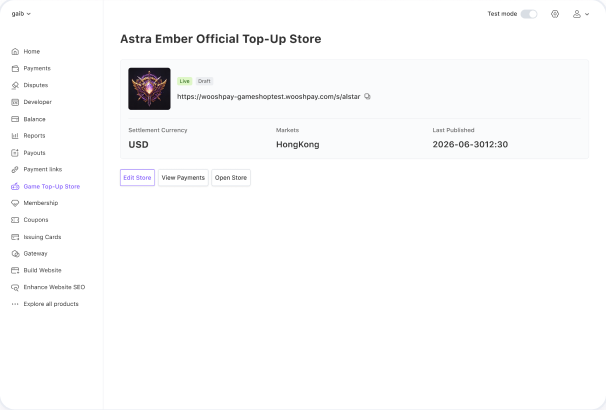
- Payment order management
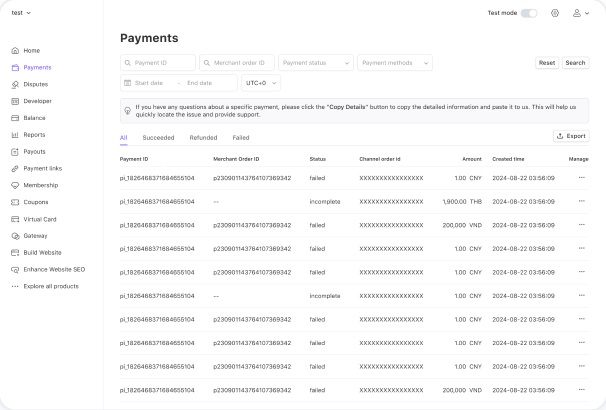
Manage the entire journey from store setup to order tracking.
Launch your first Game Web Store.
Start with your game, target markets, and store setup.
Configure your game assets, products, pricing, and player account requirements in the Dashboard. Preview your Game Web Store, test the purchase flow, and publish it when you're ready.